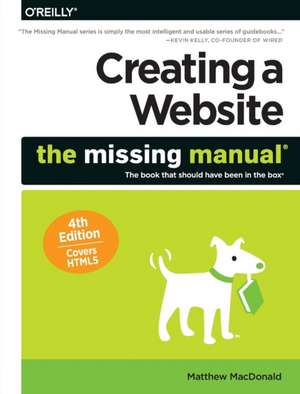
Creating a Website: The Missing Manual
Autor Matthew Macdonalden Limba Engleză Paperback – 28 iul 2015
Preț: 216.68 lei
Preț vechi: 270.85 lei
-20%
Puncte Express: 325
Carte disponibilă
Livrare economică 16-30 noiembrie
Livrare prin curier în România Termenul estimat este afișat lângă disponibilitate.
Transport gratuit de la 400.00 lei Plată online sau ramburs, în funcție de opțiunile comenzii.
Retur gratuit în 14 zile Comandă securizată și suport în română.
Specificații
ISBN-13: 9781491918074
ISBN-10: 1491918071
Pagini: 620
Ilustrații: black & white illustrations
Dimensiuni: 179 x 235 x 37 mm
Greutate: 1.07 kg
Ediția:4th edition
Editura: O'Reilly
ISBN-10: 1491918071
Pagini: 620
Ilustrații: black & white illustrations
Dimensiuni: 179 x 235 x 37 mm
Greutate: 1.07 kg
Ediția:4th edition
Editura: O'Reilly
V-ar putea interesa
-
 ASP.Net in a NutshellG Andrew Duthie-20%Preț: 372.33 lei465.41 lei
 -
 Office 2007: The Missing ManualChris Grover-20%Preț: 209.06 lei261.32 lei
 -
 Your Brain: The Missing ManualMatthew Macdonald-5%Preț: 136.95 lei144.16 lei
 -
 Access 2007: The Missing ManualMatthew Macdonald-20%Preț: 201.44 lei251.80 lei
 -
 Excel 2007 for Starters: The Missing ManualMatthew Macdonald-20%Preț: 106.77 lei133.47 lei
 -
 Access 2007 for Starters: The Missing ManualMatthew Macdonald-20%Preț: 109.56 lei136.95 lei
 -
 -5%Preț: 80.85 lei84.68 lei
 -
 Preț: 458.07 lei
 -
 Access 2013: The Missing ManualMatthew Macdonald-20%Preț: 285.09 lei356.37 lei
 -
 Html5: The Missing ManualMatthew Macdonald-20%Preț: 214.16 lei267.70 lei
 -
 Access 2010: The Missing ManualMatthew Macdonald-20%Preț: 235.16 lei293.95 lei
Cuprins
The Missing Credits; About the Author; About the Creative Team; Acknowledgements; The Missing Manual Series; Introduction; The Glory of Building a Website from Scratch; About This Book; About the Online Resources; Safari® Books Online; Part 1: Building Basic Web Pages; Chapter 1: Creating Your First Page; 1.1 HTML: The Language of the Web; 1.2 Tutorial: Creating an HTML File; 1.3 Seeing the HTML of a Live Web Page; 1.4 A Closer Look at HTML Tags; 1.5 Understanding HTML Documents; 1.6 Tutorial: Building a Complete HTML Document; 1.7 Checking Your Pages for Errors; Chapter 2: Becoming Fluent in HTML; 2.1 Types of Elements; 2.2 HTML Elements for Basic Text; 2.3 Tutorial: Converting Raw Text to HTML; 2.4 HTML Elements for Lists; 2.5 HTML Elements for Tables; 2.6 Inline Formatting; Chapter 3: Building a Style Sheet; 3.1 Graphic Design on the Web; 3.2 Style Sheet Basics; 3.3 Tutorial: Attaching a Style Sheet to a Page; 3.4 When Styles Overlap; 3.5 Class Selectors; 3.6 Colors; 3.7 Text Alignment and Spacing; 3.8 Basic Fonts; 3.9 Web Fonts with Google; 3.10 Borders; Chapter 4: Adding Graphics; 4.1 Introducing the ![]() Element; 4.2 Tutorial: Storing Images in a Subfolder; 4.3 File Formats for Web Graphics; 4.4 Tutorial: Wrapping Text Around an Image; 4.5 Background Images; 4.6 Finding Free Art; Chapter 5: Working with a Web Editor; 5.1 The Benefits of a Web Editor; 5.2 Choosing Your Web Editor; 5.3 Getting Started with Dreamweaver; 5.4 Setting Up Shop with Expression Web; 5.5 Trying Out Brackets; Chapter 6: Linking Pages; 6.1 Understanding the Anchor; 6.2 Tutorial: Linking the Pages in a Site; 6.3 More Tricks with Links; 6.4 Links That Lead to Bookmarks; 6.5 When Good Links Go Bad; Chapter 7: Designing Better Style Sheets; 7.1 Planning a Style Sheet; 7.2 Building a Complete Style Sheet; 7.3 Improving Your Style Sheet; 7.4 Tutorial: Becoming a Style Detective; Part 2: From Web Page to Website; Chapter 8: Page Layout; 8.1 Understanding Style-Based Layout; 8.2 Choosing Your Layout; 8.3 Tutorial: Creating a Layout with Multiple Columns; 8.4 A Few More Layout Techniques; 8.5 Putting the Same Content on Multiple Pages; Chapter 9: Getting Your Site Online; 9.1 How Web Hosting Works; 9.2 Domain Names; 9.3 Getting Web Space; 9.4 Transferring Files to Your Site; Part 3: Connecting with Your Audience; Chapter 10: Introducing Your Site to the World; 10.1 Your Website Promotion Plan; 10.2 Making Your Site Search-Engine Friendly; 10.3 Registering with Search Engines; 10.4 Tracking Visitors; Chapter 11: Website Promotion; 11.1 Spreading the Word; 11.2 Transforming a Site into a Community; 11.3 Email Newsletters; 11.4 Twitter; 11.5 Facebook; 11.6 Groups; Chapter 12: Adding a Blog; 12.1 Understanding Blogs; 12.2 Getting Started with Blogger; 12.3 Blog Management; 12.4 Reviewing Comments; Chapter 13: Making Money with Your Site; 13.1 Money-Making the Web Way; 13.2 Google AdSense; 13.3 Amazon Associates; 13.4 PayPal Merchant Tools; Part 4: Interactivity and Multimedia; Chapter 14: JavaScript: Adding Interactivity; 14.1 Understanding JavaScript; 14.2 JavaScript 101; 14.3 Dynamic HTML; 14.4 Scripts on the Web; Chapter 15: Dynamic Buttons and Menus; 15.1 Fancy Buttons; 15.2 Choosing Your Approach; 15.3 Tutorial: Creating a Rollover Button; 15.4 Fancy Menus; Chapter 16: Audio and Video; 16.1 Understanding Multimedia; 16.2 Playing Audio Files; 16.3 Showing Video Clips; 16.4 Fallbacks for Old Browsers; 16.5 Uploading Videos to YouTube; Part 5: Appendixes; Where to Go from Here; HTML Quick Reference; HTML Elements; HTML5 Semantic Elements; HTML Character Entities;
Element; 4.2 Tutorial: Storing Images in a Subfolder; 4.3 File Formats for Web Graphics; 4.4 Tutorial: Wrapping Text Around an Image; 4.5 Background Images; 4.6 Finding Free Art; Chapter 5: Working with a Web Editor; 5.1 The Benefits of a Web Editor; 5.2 Choosing Your Web Editor; 5.3 Getting Started with Dreamweaver; 5.4 Setting Up Shop with Expression Web; 5.5 Trying Out Brackets; Chapter 6: Linking Pages; 6.1 Understanding the Anchor; 6.2 Tutorial: Linking the Pages in a Site; 6.3 More Tricks with Links; 6.4 Links That Lead to Bookmarks; 6.5 When Good Links Go Bad; Chapter 7: Designing Better Style Sheets; 7.1 Planning a Style Sheet; 7.2 Building a Complete Style Sheet; 7.3 Improving Your Style Sheet; 7.4 Tutorial: Becoming a Style Detective; Part 2: From Web Page to Website; Chapter 8: Page Layout; 8.1 Understanding Style-Based Layout; 8.2 Choosing Your Layout; 8.3 Tutorial: Creating a Layout with Multiple Columns; 8.4 A Few More Layout Techniques; 8.5 Putting the Same Content on Multiple Pages; Chapter 9: Getting Your Site Online; 9.1 How Web Hosting Works; 9.2 Domain Names; 9.3 Getting Web Space; 9.4 Transferring Files to Your Site; Part 3: Connecting with Your Audience; Chapter 10: Introducing Your Site to the World; 10.1 Your Website Promotion Plan; 10.2 Making Your Site Search-Engine Friendly; 10.3 Registering with Search Engines; 10.4 Tracking Visitors; Chapter 11: Website Promotion; 11.1 Spreading the Word; 11.2 Transforming a Site into a Community; 11.3 Email Newsletters; 11.4 Twitter; 11.5 Facebook; 11.6 Groups; Chapter 12: Adding a Blog; 12.1 Understanding Blogs; 12.2 Getting Started with Blogger; 12.3 Blog Management; 12.4 Reviewing Comments; Chapter 13: Making Money with Your Site; 13.1 Money-Making the Web Way; 13.2 Google AdSense; 13.3 Amazon Associates; 13.4 PayPal Merchant Tools; Part 4: Interactivity and Multimedia; Chapter 14: JavaScript: Adding Interactivity; 14.1 Understanding JavaScript; 14.2 JavaScript 101; 14.3 Dynamic HTML; 14.4 Scripts on the Web; Chapter 15: Dynamic Buttons and Menus; 15.1 Fancy Buttons; 15.2 Choosing Your Approach; 15.3 Tutorial: Creating a Rollover Button; 15.4 Fancy Menus; Chapter 16: Audio and Video; 16.1 Understanding Multimedia; 16.2 Playing Audio Files; 16.3 Showing Video Clips; 16.4 Fallbacks for Old Browsers; 16.5 Uploading Videos to YouTube; Part 5: Appendixes; Where to Go from Here; HTML Quick Reference; HTML Elements; HTML5 Semantic Elements; HTML Character Entities;