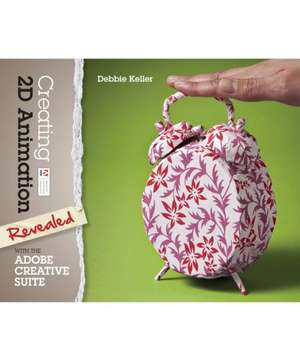
Creating 2D Animation with the Adobe Creative Suite: Revealed (Delmar Cengage Learning)
Autor Debbie Kelleren Limba Engleză Hardback – 28 apr 2013
Observăm că principala provocare pentru un grafician care face tranziția către animație nu este doar stăpânirea unui software, ci integrarea eficientă a activelor grafice într-un flux de lucru coerent. Volumul Creating 2D Animation with the Adobe Creative Suite abordează direct această problemă, oferind soluții practice pentru utilizarea combinată a programelor Illustrator, Photoshop și Flash. Găsim în această carte o metodologie de lucru numită „roundtrip editing”, care permite comutarea fără cusur între aplicații pentru a menține eficiența procesului creativ.
Structura textului este riguros organizată pe etape de producție. Începem cu fundamentele desenului vectorial și dezvoltarea personajului în Illustrator, trecem prin crearea benzilor desenate, iar apoi explorăm tehnici de animație „flip-style” și „walk cycle” folosind uneltele video din Photoshop. Ultimele capitole sunt dedicate animației complexe în Flash, acoperind interpolările (tweens) și cinematica inversă. Complementar volumului Foundation Flash Cartoon Animation, care se concentrează strict pe procesele dintr-un studio de Flash, lucrarea scrisă de Debbie Keller oferă o perspectivă mult mai largă, incluzând stop-motion și animație tradițională, fiind ideală pentru cei care doresc un portofoliu diversificat.
Deși Debbie Keller este cunoscută în alte contexte pentru lucrările sale literare, precum Under the Raintree, în acest manual tehnic adoptă o abordare pragmatică și pedagogică. Față de 3D Motion Graphics for 2D Artists, care introduce elemente tridimensionale în fluxul de lucru, acest volum rămâne ancorat în estetica și tehnicile bidimensionale, punând accent pe dezvoltarea poveștii și pe bazele teoretice ale animației. Descoperim aici un echilibru între exercițiile aplicate și proiectele creative de tip „capstone”, care forțează utilizatorul să aplice simultan toate cunoștințele acumulate.
Preț: 401.59 lei
Preț vechi: 531.75 lei
-24%
Carte disponibilă
Livrare economică 16-30 noiembrie
Specificații
ISBN-10: 1133693482
Pagini: 352
Dimensiuni: 234 x 191 x 23 mm
Greutate: 0.89 kg
Editura: Cengage Learning
Seria Revealed (Delmar Cengage Learning)
V-ar putea interesa
-
 Learn Adobe Animate CC for Interactive MediaJoseph Labrecque-20%Preț: 48.84 lei61.05 lei
 -
 Adobe Animate CC Classroom in a Book (2017 release)Russell ChunPreț: 71.54 lei
 -
 Preț: 409.37 lei
 -
 -20%Preț: 423.03 lei528.79 lei
 -
 Adobe Illustrator WOW! Book for CS6 and CC, TheSharon Steuer-20%Preț: 365.39 lei456.73 lei
 -
 Adobe Photoshop Classroom in a Book (2023 release)Conrad Chavez-20%Preț: 391.11 lei488.89 lei
 -
 Adobe Animate Classroom in a Book (2023 Release)Russell ChunPreț: 468.20 lei
 -
 Preț: 147.42 lei
 -
![Adobe Flash Professional CS5 Classroom in a Book: The Official Training Workbook from Adobe Systems [With DVD ROM]](https://i0.books-express.ro/bt/9780321701800/adobe-flash-professional-cs5-classroom-in-a-book.jpg) -20%Preț: 263.23 lei329.03 lei
-20%Preț: 263.23 lei329.03 lei -
 -20%Preț: 129.06 lei161.33 lei
 -
 The Animator's Survival Kit: Dialogue, Directing, Acting and Animal ActionRichard E. Williams-20%Preț: 60.58 lei75.72 lei
 -
 Adobe Creative Suite 2 WorkflowJennifer Alspach-20%Preț: 213.13 lei266.41 lei
 -
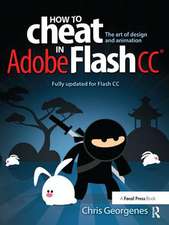 How to Cheat in Adobe Flash CC: The Art of Design and AnimationChris Georgenes-20%Preț: 1168.28 lei1460.34 lei
 -
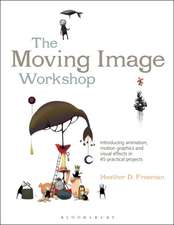 -26%Preț: 227.66 lei308.62 lei
 -
 How to Draw Digital Cartoons: a Step-by-step GuideIvan & Tappenden HisseyPreț: 73.06 lei
 -
 Adobe Indesign, 2nd EditionStephen LaskevitchPreț: 344.64 lei
 -
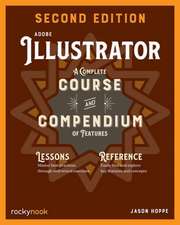 Adobe Illustrator, 2nd EditionJason Hoppe-20%Preț: 304.54 lei380.67 lei
De ce să citești această carte
Recomandăm această carte designerilor grafici care doresc să își extindă competențele în zona animației 2D folosind instrumentele pe care le dețin deja. Cititorul câștigă o metodologie clară de integrare între Illustrator, Photoshop și Flash, transformând desenele statice în proiecte dinamice. Este un ghid esențial pentru construirea unui portofoliu tehnic solid, acoperind totul de la storyboard la animația finală.