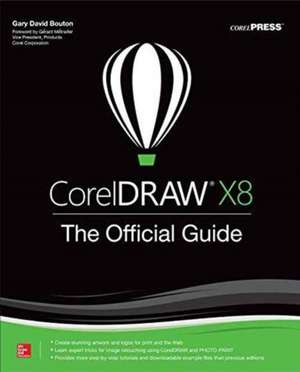
CorelDRAW X8: The Official Guide
Autor Gary David Boutonen Limba Engleză Paperback – 16 feb 2017
The Corel-Authorized Guide to CorelDRAW®—Updated for CorelDRAW X8
This thoroughly revised guide offers complete coverage of CorelDraw X8, including the revamped interface and brand-new features. CorelDRAW X8: The Official Guide shows anyone—from a beginner to an experienced illustrator—how to create top-drawer commercial graphics and exquisite artwork. You will learn to draw photorealistic illustrations, use shortcuts to create complex art, lay out text like a pro, add special effects, and transform 2D objects into 3D graphics. The book features tips for printing high-quality work that matches what you’ve designed on your monitor.
• Work in the customizable interface redesigned to reflect Windows® Metro style
• Explore and understand the software’s menus, palettes, and dockers
• Lay out brochures, flyers, and other multi-page documents
• Add paragraph, artistic, and custom-shaped text to your designs
• Search the Content Exchange for fonts, vector patterns, background designs, and the Get More docker
• Use the Perspective, Extrude, Smear, Twirl, Attract, Repel, and Distortion tools
• Incorporate lens effects, transparency, shadows, glows, and bevels
• Put all the elements together in a professional, visually compelling way with layout and design tips from the author
Preț: 327.63 lei
Preț vechi: 409.53 lei
-20%
Puncte Express: 491
Carte tipărită la comandă
Livrare economică 03-09 decembrie
Livrare prin curier în România Termenul estimat este afișat lângă disponibilitate.
Transport gratuit de la 400.00 lei Plată online sau ramburs, în funcție de opțiunile comenzii.
Retur gratuit în 14 zile Comandă securizată și suport în română.
Specificații
ISBN-13: 9781259860201
ISBN-10: 1259860205
Pagini: 648
Dimensiuni: 188 x 229 x 41 mm
Greutate: 1.1 kg
Ediția:12
Editura: McGraw Hill Education
Colecția McGraw-Hill
Locul publicării:United States
ISBN-10: 1259860205
Pagini: 648
Dimensiuni: 188 x 229 x 41 mm
Greutate: 1.1 kg
Ediția:12
Editura: McGraw Hill Education
Colecția McGraw-Hill
Locul publicării:United States
V-ar putea interesa
-
 Xara Xtreme 5: The Official GuideGary David Bouton-20%Preț: 211.42 lei264.28 lei
 -
 CorelDRAW X6 The Official GuideGary David Bouton-20%Preț: 360.89 lei451.12 lei
 -
 CorelDRAW X7: The Official GuideGary David Bouton-20%Preț: 328.67 lei410.83 lei
 -
 Introduction to Computer SecurityMichael Goodrich-20%Preț: 587.80 lei734.75 lei
 -
 WWW 13 Vol 2Www 13 Conference Committee-27%Preț: 1082.31 lei1482.62 lei
 -
 Cloudflare StarterJeff Dickey-20%Preț: 135.75 lei169.70 lei
 -
 Instant 960 Grid SystemDiego Tres-20%Preț: 126.11 lei157.63 lei
 -
 Instant PageSpeed OptimizationSanjeev Jaiswal-20%Preț: 136.49 lei170.61 lei
 -
 -20%Preț: 79.61 lei99.51 lei
 -
 -20%Preț: 210.08 lei262.60 lei
 -
 -20%Preț: 575.14 lei718.91 lei
 -
 Exploiting the Fat-tree Topology for Routing and Fault-ToleranceCrispín Gómez Requena-20%Preț: 431.53 lei539.42 lei
 -
 Secure Routing in Wireless Sensor NetworksJamil Ibriq-20%Preț: 322.72 lei403.40 lei
 -
 Sicherheit in SIP-basierten VoIP-NetzenMichael Sauer-20%Preț: 236.21 lei295.26 lei
 -
 -20%Preț: 196.18 lei245.23 lei
 -
 Sicherheit von Android-BetriebssystemenMartin Haug-20%Preț: 90.95 lei113.70 lei
 -
 -20%Preț: 387.80 lei484.75 lei
 -
 Déploiement d'une architecture VPN pour les échanges des donnéesJordan Tshiamala Bukasa-20%Preț: 421.86 lei527.32 lei
 -
 Approche de supervision des réseaux maillés WIFI basée sur les PBNMYouen Mushegerha-20%Preț: 219.79 lei274.74 lei
 -
 -20%Preț: 335.40 lei419.25 lei
 -
 Determination of Radio Cells Behaviour Using KPI AnalysisAbir Loussaief-20%Preț: 218.74 lei273.42 lei
 -
 Red Docente de la Universidad Deportiva del SurDalui Monasterio-20%Preț: 219.36 lei274.20 lei
 -
 Estudio de factibilidad para montar un server iptv con diseño Lan-WlanEloy Alvarado Cabrera-20%Preț: 296.04 lei370.04 lei
 -
 Test Bench for Communication Protocols in Smart GridsPramod Ahanya Guruvareddy-20%Preț: 297.58 lei371.97 lei
Cuprins
Part 1: Student Orientation Weekend
Chapter 1: Welcome! What's New (and also Exciting) in CorelDraw Graphics Suite x8
Chapter 2: The Roadmap to Features and Productivity in DRAW
Chapter 3: Diving into DRAW! Part 2: Getting Started CorelDRAW X8
Chapter 4: Working with Single- and Multi-page Documents
Chapter 5: Creating Basic Shapes, Applying Transformations
Chapter 6: Arranging and Organizing Objects Part 3: Working with Object Tools for Art and Business
Chapter 7: Choosing (And Understanding) the Right Path Tools
Chapter 8: Exploring Special Shapes, Connectors, and Other Office Automation Helpers
Chapter 9: Editing Objects, Rearranging Paths, and Using Boolean Ops Part 4: Working with Text in Composition
Chapter 10: Paragraph Text, Artistic Text, and When (and How) to Use them
Chapter 11: Intermediate Desktop Publishing and Proofing Tools Part 5: Attributes for Objects and Lines
Chapter 12: Options for Filling Objects
Chapter 13: Applying Strokes to Paths
Chapter 14: Using Blends and Contours
Chapter 15: Mixing and Matching with Digital Color Models Part 6: Creating the Illusion of 3D Composition
Chapter 16: The Perspective and Extrude Effects
Chapter 17: Using the Envelope Tool, Lens Effects, and Bevels Part 7: Special Effects in CorelDRAW
Chapter 18: The Shape Editing Tools and Distortions
Chapter 19: Transparencies and Shadows Part 8: Bitmaps and Photos
Chapter 20: Understanding and Working with Pixel-Based Images in CorelDRAW
Chapter 21: Common Image-Editing Techniques using PHOTO-PAINTPart 9: The Wind-Up and the Pitch: Animations and Self-Advertising
Chapter 22: Creating Animations in PHOTO-PAINT
Chapter 23: Final Thoughts: Where Do We Go From here?
Chapter 1: Welcome! What's New (and also Exciting) in CorelDraw Graphics Suite x8
Chapter 2: The Roadmap to Features and Productivity in DRAW
Chapter 3: Diving into DRAW! Part 2: Getting Started CorelDRAW X8
Chapter 4: Working with Single- and Multi-page Documents
Chapter 5: Creating Basic Shapes, Applying Transformations
Chapter 6: Arranging and Organizing Objects Part 3: Working with Object Tools for Art and Business
Chapter 7: Choosing (And Understanding) the Right Path Tools
Chapter 8: Exploring Special Shapes, Connectors, and Other Office Automation Helpers
Chapter 9: Editing Objects, Rearranging Paths, and Using Boolean Ops Part 4: Working with Text in Composition
Chapter 10: Paragraph Text, Artistic Text, and When (and How) to Use them
Chapter 11: Intermediate Desktop Publishing and Proofing Tools Part 5: Attributes for Objects and Lines
Chapter 12: Options for Filling Objects
Chapter 13: Applying Strokes to Paths
Chapter 14: Using Blends and Contours
Chapter 15: Mixing and Matching with Digital Color Models Part 6: Creating the Illusion of 3D Composition
Chapter 16: The Perspective and Extrude Effects
Chapter 17: Using the Envelope Tool, Lens Effects, and Bevels Part 7: Special Effects in CorelDRAW
Chapter 18: The Shape Editing Tools and Distortions
Chapter 19: Transparencies and Shadows Part 8: Bitmaps and Photos
Chapter 20: Understanding and Working with Pixel-Based Images in CorelDRAW
Chapter 21: Common Image-Editing Techniques using PHOTO-PAINTPart 9: The Wind-Up and the Pitch: Animations and Self-Advertising
Chapter 22: Creating Animations in PHOTO-PAINT
Chapter 23: Final Thoughts: Where Do We Go From here?