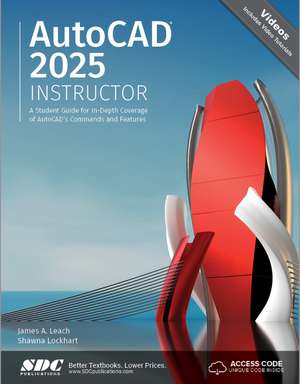
AutoCAD 2025 Instructor: A Student Guide for In-Depth Coverage of AutoCAD's Commands and Features
Autor James A. Leach, Shawna Lockharten Limba Engleză Paperback – 27 iun 2024
Subliniem că AutoCAD 2025 Instructor nu este doar un manual de studiu, ci o resursă tehnică exhaustivă dedicată celei mai recente versiuni a software-ului de proiectare de la Autodesk. Remarcăm orientarea riguroasă către comenzi, textul fiind organizat logic pentru a oglindi structura meniurilor AutoCAD 2025. Această abordare facilitează utilizarea cărții ca referință rapidă pe masa de lucru a unui inginer sau arhitect, permițând localizarea imediată a oricărei proceduri fără a parcurge un întreg tutorial.
Abordarea diferă de Tutorial Guide to AutoCAD 2025 prin profunzimea detaliului tehnic; în timp ce volumul menționat se concentrează pe pași ghidați într-un context narativ, AutoCAD 2025 Instructor este mai puțin abstract și mult mai aplicabil ca enciclopedie de funcții, oferind tabele de comenzi și peste 2000 de ilustrații pentru o claritate vizuală maximă. De asemenea, spre deosebire de AutoCAD 2025 Tutorial First Level 2D Fundamentals, care se limitează la bazele 2D, lucrarea de față avansează până la tehnici complexe de modelare solidă 3D și configurări avansate de layout.
Structura este una progresivă, de tip modular. Primele capitole pun bazele desenării și selectării obiectelor, evoluând natural către gestiunea straturilor (layers), cotare și blocuri. Ultimele secțiuni, precum capitolele 35 și 36, sunt dedicate construcției și editării modelelor solide, culminând cu generarea automată a desenelor 2D din modele 3D. Această ediție extinde resursele digitale, oferind acces la tutoriale video și capitole bonus despre Express Tools, elemente esențiale pentru optimizarea fluxului de lucru profesional. James A. Leach păstrează în acest volum rigoarea pedagogică observată în AutoCAD 2024 Instructor, consolidând o metodologie de învățare care a dominat mediul universitar de peste un deceniu.
Preț: 617.36 lei
Preț vechi: 771.71 lei
-20%
Carte disponibilă
Livrare economică 13-27 noiembrie
Livrare express 30 octombrie-05 noiembrie pentru 107.31 lei
Specificații
ISBN-10: 1630576492
Pagini: 1262
Dimensiuni: 210 x 280 x 37 mm
Greutate: 2.48 kg
Ediția:1
Editura: SDC Publications
Colecția SDC Publications
V-ar putea interesa
-
 AutoCAD 2021 InstructorShawna Lockhart-20%Preț: 478.07 lei597.58 lei
 -
 AutoCAD 2022 InstructorJames A. Leach-20%Preț: 527.15 lei658.94 lei
 -
 -20%Preț: 563.44 lei704.30 lei
 -
 -20%Preț: 570.94 lei713.67 lei
 -
 Autodesk AutoCAD 2024 FundamentalsElise Moss-20%Preț: 503.25 lei629.06 lei
 -
 AutoCAD 2024 Tutorial First Level 2D FundamentalsRandy H. Shih-20%Preț: 506.27 lei632.84 lei
 -
 -20%Preț: 576.71 lei720.89 lei
 -
 Tutorial Guide to AutoCAD 2024: 2D Drawing, 3D ModelingShawna Lockhart-20%Preț: 502.16 lei627.71 lei
 -
 Autodesk AutoCAD 2025 FundamentalsElise Moss-20%Preț: 518.04 lei647.54 lei
 -
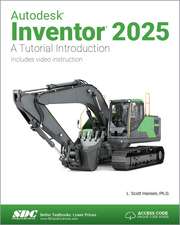 Autodesk Inventor 2025: A Tutorial IntroductionL. Scott Hansen-20%Preț: 521.52 lei651.90 lei
 -
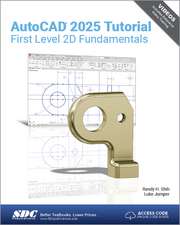 -20%Preț: 513.62 lei642.02 lei
 -
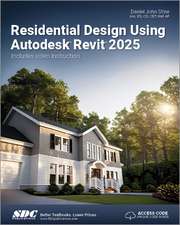 Residential Design Using Autodesk Revit 2025Daniel John Stine-20%Preț: 529.95 lei662.44 lei
 -
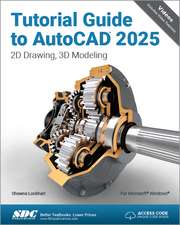 Tutorial Guide to AutoCAD 2025: 2D Drawing, 3D ModelingShawna Lockhart-20%Preț: 518.29 lei647.86 lei
 -
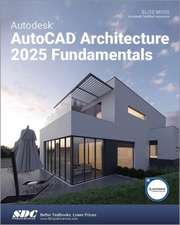 -20%Preț: 507.51 lei634.39 lei
 -
 -20%Preț: 536.50 lei670.62 lei
 -
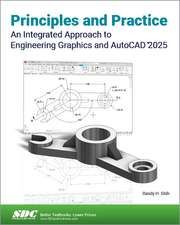 -20%Preț: 491.95 lei614.94 lei
 -
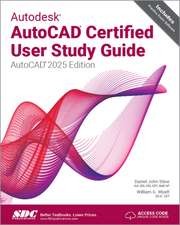 Autodesk AutoCAD Certified User Study Guide: AutoCAD 2025 EditionDaniel John Stine-20%Preț: 439.39 lei549.24 lei
 -
 -20%Preț: 538.48 lei673.10 lei
Public țintă
Professional Training and Undergraduate AdvancedDe ce să citești această carte
Recomandăm această lucrare profesioniștilor și studenților care au nevoie de o stăpânire completă a AutoCAD 2025. Dincolo de învățarea teoretică, cititorul câștigă un instrument practic de referință, datorită indexului comprehensiv și a markerelor marginale cu scurtături. Este volumul ideal pentru cei care doresc să treacă de la desenul simplu la modelarea 3D avansată și automatizarea sarcinilor prin blocuri dinamice.
Despre autor
James A. Leach este un autor de prestigiu în domeniul CAD, cunoscut pentru seria sa de manuale „Instructor” care au devenit standard în universitățile tehnice din întreaga lume. Cu o experiență de peste un deceniu în documentarea software-ului Autodesk, Leach se concentrează pe o pedagogie bazată pe sinteză și progresie logică. Shawna Lockhart, co-autor, aduce o perspectivă practică vastă, fiind recunoscută pentru capacitatea de a traduce funcțiile complexe de inginerie în instrucțiuni accesibile, contribuind la numeroase ghiduri tehnice de referință pentru industria de proiectare asistată de calculator.
Descriere scurtă
AutoCAD 2025 Instructor maintains the pedagogy and in-depth coverage that have always been the hallmark of the Leach texts. As the top-selling university textbook for more than a decade, the AutoCAD Instructor series continues to deliver broad coverage of AutoCAD in a structured, easy-to-comprehend manner.
AutoCAD 2025 Instructor is command-oriented, just like AutoCAD. Chapters are structured around related commands, similar to the organization of AutoCAD’s menu system.
The sequence of chapters starts with fundamental drawing commands and skills and then progresses to more elaborate procedures and specialized applications. The writing style introduces small pieces of information explained in simple form, and then builds on that knowledge to deliver more complex drawing strategies, requiring a synthesis of earlier concepts. Over 2000 figures illustrate the commands, features, and ideas.
AutoCAD 2025 Instructor is an ideal reference guide, unlike tutorial-oriented books where specific information is hard to relocate. Because these chapters focus on related commands, and complete coverage for each command is given in one place, the commands, procedures, and applications are easy to reference. Tabbed pages help locate tables, lists, appendices, and the comprehensive index.
What makes this book unique?
- In depth coverage of AutoCAD 2025 commands and features
- Command Tables indicate where to locate and how to start each command
- TIP markers in the margin provide important tips, notes, reminders, and short-cuts
- Complete chapter exercises with many multi-chapter "REUSE" problems
- Well suited for a two or three course sequence
Your purchase of AutoCAD 2025 Instructor includes two free exclusive bonus chapters and introductory videos that are available by redeeming the unique access code found on the inside of the front cover. These bonus chapters cover dynamic blocks and express tools.
Video Tutorials
This textbook includes access to videos that are designed to help you get started using the most common tools in AutoCAD. These tutorials complement the textbook content by providing a practical, hands-on approach to understanding the basics of AutoCAD. They serve as an excellent starting point for learners who prefer to see the tools in action, reinforcing the written instructions and deepening your understanding of AutoCAD’s essential functionalities. Although these videos do not encompass the entire scope of the textbook, they offer a comprehensive overview of the basics, facilitating a strong foundational knowledge.
In this edition, we've significantly expanded our video resources to encompass a broader range of AutoCAD's tools, features, commands, and functionalities.