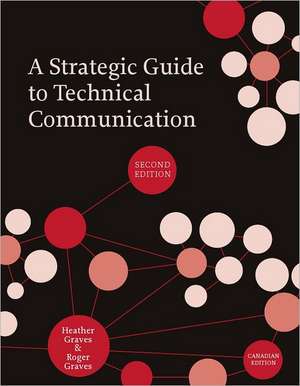
A Strategic Guide to Technical Communication - Second Edition (Canadian)
Autor Heather Graves, Roger Gravesen Limba Engleză Paperback – 20 dec 2011
Notăm cu interes apariția ediției a doua a acestui manual de referință, A Strategic Guide to Technical Communication - Second Edition (Canadian), o lucrare ce rafinează metodele de redactare tehnică prin prisma unei experiențe pedagogice de peste un deceniu. Structura volumului reflectă o progresie logică, pornind de la definirea riguroasă a comunicării tehnice în raport cu scrierea creativă și avansând spre analiza complexă a utilizatorilor și a genurilor textuale. Reținem că această ediție canadiană aduce actualizări esențiale: capitolul dedicat comunicării de afaceri este complet nou, iar discuțiile despre stilul tehnic, etică și design vizual au fost dezvoltate în secțiuni autonome pentru a reflecta complexitatea mediului profesional contemporan.
În contextul operei autorilor, volumul se plasează între abordarea sintetică din A Concise Guide to Technical Communication și analizele aplicate din Business Communication: Rhetorical Situations, oferind un echilibru între fundamentarea teoretică și exersarea abilităților practice. Heather Graves și Roger Graves integrează exerciții de clasă și teme de laborator direct în fluxul narativ, transformând manualul într-un instrument de lucru interactiv. Această metodologie completează perspectiva oferită de Practical Strategies for Technical Communication de Mike Markel, adăugând o dimensiune retorică mai profundă și o ancorare specifică în normele și așteptările pieței nord-americane. Față de abordarea centrată pe design a lui Jon Balzotti, lucrarea soților Graves insistă pe înțelegerea audienței ca premisă a oricărui act de comunicare eficient. Recomandăm acest titlu pentru rigoarea cu care tratează convențiile structurale și retorice, oferind studenților nu doar șabloane, ci o strategie de gândire critică aplicabilă în orice domeniu tehnic.
Preț: 469.24 lei
Preț vechi: 603.51 lei
-22%
Carte disponibilă
Livrare economică 08-22 mai
Livrare express 24-30 aprilie pentru 84.13 lei
Specificații
ISBN-10: 155481023X
Pagini: 325
Dimensiuni: 178 x 229 x 16 mm
Greutate: 0.64 kg
Ediția:2. Auflage
Editura: BROADVIEW PR
Colecția Broadview Press
Locul publicării:Peterborough, Canada
V-ar putea interesa
-
 Investigating Science Communication in the Information AgeRichard HollimanPreț: 331.77 lei
 -
 -13%Preț: 343.27 lei392.97 lei
 -
 Writing Science in Plain EnglishAnne E. GreenePreț: 115.47 lei
 -
 Researching and Writing a DissertationColin Fisher-13%Preț: 592.46 lei681.00 lei
 -
 The Handbook of Scholarly Writing and PublishingTonette S RoccoPreț: 258.34 lei
 -
 The Complete Guide to Medical WritingMark C. Stuart-9%Preț: 207.44 lei229.20 lei
 -
 A Comprehensible Guide to Controller Area NetworkWilfried Voss-20%Preț: 89.64 lei112.05 lei
 -
 Preț: 176.10 lei
 -
 Preț: 337.11 lei
 -
 Writing Built Environment Dissertations and ProjectsPeter FarrellPreț: 311.49 lei
 -
 The Business Writing Coach: Teach YourselfPatrick Forsyth-26%Preț: 77.88 lei104.85 lei
De ce să citești această carte
Recomandăm acest manual studenților și profesioniștilor care doresc să stăpânească arta documentației tehnice clare și estetice. Cititorul câștigă acces la strategii validate academic, învățând să adapteze mesaje complexe pentru audiențe diverse. Este o resursă esențială pentru cei care activează în context canadian, oferind un avantaj competitiv prin capitolele noi despre etică și comunicare vizuală, fundamentale în mediul corporate modern.
Recenzii
Comments on the previous edition:
“What a fantastic textbook! Concise and practical, A Strategic Guide to Technical Communication is an outstanding text that provides theoretically well-grounded, pedagogically sound, and hands-on guidance to creating effective professional documents. It’s one of those rare textbooks students will want to keep on their book shelves well beyond their graduation.” — Doreen Starke-Meyerring, McGill University
“Clear, accessible, and immaculately written, A Strategic Guide to Technical Communication is a superb choice for the introductory technical communication course. The organization of the text is excellent, guiding students through style and document design to the major genres of technical discourse, ethics, and usability testing, concluding with impressive chapters on online documentation and oral presentations. Without question, A Strategic Guide to Technical Communication is my text of choice for our undergraduate technical communication course.” — Joseph Little, Niagara University
“A Strategic Guide to Technical Communication covers clearly and well the main genres of technical writing—further, it includes in-depth, thought-provoking, up-to-date sections on topics such as navigating ethical issues; setting up, conducting, and reporting usability studies; and writing online documents. This book would work equally well for a technical communication course and for courses in business or professional writing: its rhetorical perspective and wide-ranging coverage go well beyond the features common to bestselling technical writing texts.” — Kelly Belanger, Virginia Polytechnic Institute and State University
“Intelligently organized and informed by the latest in theory and research, A Strategic Guide to Technical Communication is a comprehensive and user-friendly textbook. Instructors will appreciate its solid grounding in theory and research, its many examples of student writing, and its helpfully integrated in-class exercises, lab assignments, and suggestions for major projects. Students will like the book’s hands-on approach and practical strategies for writing, designing, and testing documents for real users in both traditional and online environments.” — Jo-Anne Andre, University of Calgary
Descriere
Cuprins
ONE THINKING ABOUT AUDIENCE, PURPOSE, AND GENRE
What is technical communication?
How does it differ from other types of writing?
IN-CLASS EXERCISE 1.1
Applying the Communication Triangle to Sample Documents
Creative vs. technical writing
IN-CLASS EXERCISE 1.2
Analysing Documents with Multiple Aims
Who are these “users”?
- Ways of thinking about users
Analysing Multiple Audiences for Documents
How do you learn about your users?
- Interview users
Observe users
Interview experts
Create user profiles
Write a User Profile
Reaching your primary users
Why are you writing?
LAB ASSIGNMENT 1.1
Characterizing Your Users
What is genre?
LAB ASSIGNMENT 1.2
Linking Purpose and Audience
- Structural conventions
Rhetorical conventions
Organization and presentation of content
Goals and function of the genre
Genre and activity sets
What are the main genres of technical communication?
How does one analyse a new genre?
- Analysing style
- sentences
paragraphs - Analysing structure
Analysing register - diction (word choice)
How are the documents in genre sets interdependent?
LAB ASSIGNMENT 1.3
Analysing a New Genre
- What are the conventions of the application letter?
What role does the résumé play in this genre set?
The Job Application Package
TWO LEADING AND MISLEADING THE READER: ETHICAL ISSUES OF TECHNICAL COMMUNICATION
Ethics at work
Ethics frameworks
IN-CLASS EXERCISE 2.1
Outlining an Ethical Position
Ethics for students
How is ethics related to technical communication?
- Copyright, trademarks, and patents
What is not copyrightable
Rules for copying images
- Plain language guidelines
Ethical Dilemma Paper
THREE RESEARCHING TECHNICAL SUBJECTS
Primary research: Interviewing
- Preparing for the interview
- learn everything you can about the subject
learn about the subject matter expert
prepare a list of organized questions
writing good questions
Prepare to Interview a Classmate
Conducting the interview
- schedule an hour-long interview, if possible
introduce yourself and explain your project
decide whether to record the interview
be an active listener
control the interview
working with those for whom english is a second language
closing the interview
Interview a Classmate
Primary research: Conducting surveys
- Asking good questions
Guidelines for asking good questions - rephrase jargon and technical language
into plain language
ask specific questions
avoid loaded questions
break compound questions into individual
questions - Choosing appropriate responses
Preparing the survey form
Reporting survey data
Create a Survey Form
Secondary research: Finding print and online sources
- Conducting an effective search for sources: Library and Internet
Assessing the credibility of your sources
IN-CLASS EXERCISE 3.3
Which Item Needs a Source Cited?
IN-CLASS EXERCISE 3.4
Which Paraphrase Is Legitimate and Which Is Too Close to the Original?
FOUR WRITING TECHNICAL PROSE
Clarity
- Where do readers look for clues about the writer’s main ideas?
- place the context or the familiar
information on the left
place main ideas as the subjects of sentences
Place Main Ideas as the Subjects of Sentences
IN-CLASS EXERCISE 4.2
Rewrite a Paragraph from Your Own Prose
- locate the subject and the verb close to one another
Position Subjects and Verbs
- place important ideas at the end of sentences to emphasize them
place one point in each syntactic structure
place old information that links back in the subject position, and put new information that you want readers to attend to at the point of emphasis
Place Key Ideas in Positions of Emphasis
- use verbs rather than nominalizations to express action in your sentences
IN-CLASS EXERCISE 4.5
Locate the Verbs in a Series of Nominalizations
- Linking sentences from start to start
Linking sentences from end to start
IN-CLASS EXERCISE 4.6
Create Links between Familiar and New Information
Plain language
IN-CLASS EXERCISE 4.7
Revising for Plain Language #1
Conciseness
Parallelism
IN-CLASS EXERCISE 4.8
Revising for Plain Language #2
Defining, describing, and explaining
- Definition
- brief definition
formal or categorical definition
Writing Categorical Definitions
- extended definition
Distinguish an Operational Definition from a Set of Instructions
LAB ASSIGNMENT 4.1
Identifying Methods of Defining, Describing, and Explaining
LAB ASSIGNMENT 4.2
Defining or Describing a Technical Concept or Device
FIVE DESIGNING DOCUMENTS AND PAGE LAYOUTS
What is document design?
IN-CLASS EXERCISE 5.1
Evaluating Quality in Document Design
What are the elements of document design?
- Typefaces and fonts
- should i use a serif or sans-serif font?
- White space
Assessing Your Use of White Space
- Should margins be justified or ragged?
Should you use capitals or lower case?
- Proximity
- how do i create proximity?
- Alignment
- basic strategies for creating alignment
- Repetition
Contrast
LAB ASSIGNMENT 5.1
Critiquing an Existing Design
LAB ASSIGNMENT 5.2
Revising a Poor Design
MAJOR PROJECT 5.1
Redesigning a Brochure
MAJOR PROJECT 5.2
Designing a Newsletter
- How do you use the space on your page to create impact?
How do you vary the horizontal or vertical space on a page?
What is a grid?
How do I design a grid for my project?
What about using a template for my grid design?
Create Your Own Project
SIX COMMUNICATING THROUGH VISUALS: VISUAL TECHNICAL COMMUNICATION
Using visuals to communicate effectively
- Visual communication and the writing process
What are the “right ways … to show data”?
Select the right visual for telling that story - pie charts
line graphs
bar charts
dot charts
tables
maps
photographs
line drawings
gantt charts - Use the conventions for typical visuals
- a title
a caption
all units labelled
What Does a Gantt Chart Contribute to the Work Schedule?
- source of the data
source of visual - Visuals that confuse or mislead
Evaluating Visuals
LAB ASSIGNMENT 6.2
Creating Interesting Visuals
LAB ASSIGNMENT 6.3
Evaluating the Ethics of Visual Display
SEVEN WRITING EMAIL AND LETTERS FOR THE WORKPLACE
Essentials of workplace communication
- Who are your readers?
- power levels, demographics, communication networks, and obstacles to action
- What motivates your readers?
Organize and present your ideas to motivate readers to act
Revising to Motivate Readers to Act
Secondary goals for workplace communication
Writing messages: Email, memos, letters
- Tips for writing effective email messages
Assessing Subject Lines
- writing emails that identify problems
- Formatting memos
Formatting memo reports - tips for writing a good memo report
Writing a Solution-Finding Email to Your Instructor
- Formatting a business letter
- Informative messages
Positive messages
Negative messages - writing a good buffer
Revising a Positive and Informative Message
- Persuasive messages
- direct request messages
solution-finding messages
Writing a Negative Message
IN-CLASS EXERCISE 7.6
Overcoming Obstacles to Reader Acceptance
IN-CLASS EXERCISE 7.7
Writing a Direct Request Message
EIGHT WRITING WINNING PROPOSALS
Why write proposals?
What kinds of proposals are there?
What is a proposal?
When should you decline to write a proposal?
How do proposals get evaluated?
Who is the audience for a proposal?
How do you analyse a RFP?
Sample RFP analysis
- Class proposals: What kind of proposal is requested?
What are the primary criteria listed in the RFP?
Analyse an Assignment as an RFP
What is persuasion?
- What are the components of an argument?
- how do you create a strong logical appeal?
how do you create a strong ethical appeal?
how do you create an effective emotional appeal?
LAB ASSIGNMENT 8.1
Creating Effective Emotional Appeals
- What is the standard generic format for a proposal?
- questions a proposal must answer
- How do you incorporate persuasion into the format to create a winning proposal?
Practising Rhetorical Appeals
MAJOR PROJECT 8.1
Writing a Proposal
- Option to write a manual
Option to write a recommendation report
Status or progress reports
- Purpose of status report
Content of status report
Writing the status report: Rhetorical considerations
LAB ASSIGNMENT 9.1
Writing a Status Report
MAJOR PROJECT 9.1
Reporting Progress on Your Technical Manual
- What information do you put in a white paper?
How do you reach the audience for a white paper?
What are some useful strategies that will increase the effectiveness of your white paper? - stand back from your subject matter and summarize the key points that newcomers need to know to appreciate the new product or service
assume your reader is a newcomer to the subject
describe the problem in specific and personalized terms
in describing how your product or service works, distinguish its features from the benefits it confers on the reader - One expert’s helpful hint
Usability test your white paper
Converting Product Features to Reader Benefits
MAJOR PROJECT 9.2
Writing a White Paper
LAB ASSIGNMENT 9.2
User Test Your White Paper Draft
The laboratory report
- The laboratory notebook
- your lab notebook and scientific integrity
how should you organize the information in your notebook? - Writing the laboratory report
- format of the lab report
Incorporating Visual Aids into a Lab Report
LAB ASSIGNMENT 9.3
Revising a Lab Report to Improve Its Argument
MAJOR PROJECT 9.3
Writing a Lab Report
Recommendation reports
- Report structure
- memo or letter of transmittal
title page
executive summary or abstract
recommendations
body of the report
notes, references, appendices
Writing a Recommendation Report
TEN WRITING HOW-TO DOCUMENTS: INSTRUCTIONS, PROCEDURES, AND MANUALS
What makes instructional documents good?
- Know your target audience or user group
Include an overview of the procedure
Write usable steps - five strategies for writing readable instructions
Strategies for Writing Good Instructions
IN-CLASS EXERCISE 10.2
Organizing Information for the User
- Subdivide the process
- how does “chunking” improve the quality of the instructions?
“Chunking” Techniques and Your Target Audience
- Use illustrations
- visuals in software documentation: use screen shots
Creating and Labelling a Screen Shot
- how can you make effective use of visuals?
Distinguishing between the Four Methods of Integrating Text and Image
- Design an effective page layout
- shorten line lengths
choose a page orientation
design a grid to organize your information
include and visually emphasize tips, warnings, and cautions
do usability testing
Evaluating Good Instructions—Origami
LAB ASSIGNMENT 10.3
Revising a Poorly Designed Set of Instructions
LAB ASSIGNMENT 10.4
Designing and Writing Instructions on How to Create Screen Shots
MAJOR PROJECT 10.1
Write a Set of Instructions or a Procedure
MAJOR PROJECT 10.2
Write a Technical Manual
ELEVEN TESTING AND REPORTING DOCUMENT USABILITY
What is usability?
Why test for usability?
What is a usability test?
What is the purpose of a usability test?
Planning the test
- Selecting test subjects
How many test subjects?
What should you test for?
What should you have users do during the test?
- Summarize the purpose of the test
Outline what you want them to do
Thank them for participating
Inform them that they can quit
Modelling Usability Testing
Conducting the test
- Demonstrate the equipment
Explain how to “think aloud”
Describe the tasks
Once the test begins, do not talk to your tester
Concluding the test
- The objectives
Target users’ level of knowledge
The test subjects
Task assigned to users
What happened during the test
Comments of the users
Plans for revision
- Analysing your data
Writing the report - evidence for your revision plans
demonstrate your skill and competence - Usability testing is valuable
Design considerations
Report on Usability Testing of Your Instructions or Procedure
Acting on your plans for revision
MAJOR PROJECT 11.1
Evaluating the Usability of Your Manual
TWELVE TAKING TECHNICAL COMMUNICATION ONLINE: SHARING DOCUMENTS ELECTRONICALLY AND WRITING ONLINE DOCUMENTS
What is structured documentation?
Converting documents to portable document
file (pdf) format
Sharing documents electronically
- How to use rich text format (rtf) files to solve system or program incompatibility
- Posting a document file on a web page
- update the web page by adding a link to the document
upload the document file and the revised
web page
set page permissions (if necessary)
Posting a Downloadable File on Your Website
- Creating an electronic portfolio
- what if i don’t have a homepage to display my portfolio?
- How do you prepare documents for onscreen use?
- page orientation is different
resolution on screen is poorer
don’t use blank pages
plan your document navigation - How do you ensure a good visual design?
- divide the screen into functional areas
group related items
guide users’ eye movements
put action areas near where users will look for them
use consistent design throughout - How do you ensure that your screen display is legible?
- be succinct
write for scanability
Converting Print to Online Text
- use hypertext links to divide long information into multiple pages
name titles and headings effectively - Use standard web-design conventions
- what are the conventions?
Preparing Instructional Material for Online Delivery
THIRTEEN PRESENTING TECHNICAL INFORMATION ORALLY
Common speaking occasions
- Casual, impromptu, and short talks
Small group meetings
Creating Short Sound Bites
IN-CLASS EXERCISE 13.2
Introducing Yourself
- Informal, prepared presentations
Delivering a Short Oral Report
- Formal presentations
Creating an Oral Presentation of the Final Course Project
Guidelines for preparing presentations
- Decide what information to include in your presentation slides or outline and what to include in a handout
Determine how much background to present early in the presentation
Organize your presentation so that listeners can follow your thoughts
Create visuals to accompany your verbal descriptions
- Who is your audience?
Brainstorm ideas for slides
Tell a story
Create your slides
Prezi: Overview and zoom
- Take advantage of the immediacy of having live human beings in the same room with you
Stand so your audience can see the visuals that you display on the screen
Control the timing of the slides so you control when the presentation moves from one topic to another
Breathe
INDEX