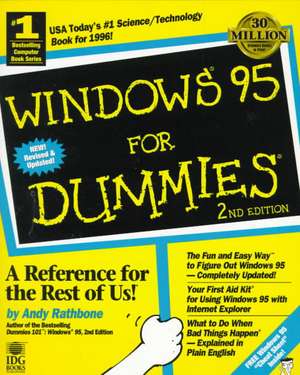
Windows 95 For Dummies
Autor Andy Rathboneen Limba Engleză Paperback – 27 feb 1997
Preț: 95.28 lei
Preț vechi: 119.09 lei
-20%
Puncte Express: 143
Carte tipărită la comandă
Livrare economică 01-07 octombrie
Livrare prin curier în România Termenul estimat este afișat lângă disponibilitate.
Transport gratuit de la 400.00 lei Plată online sau ramburs, în funcție de opțiunile comenzii.
Retur gratuit în 14 zile Comandă securizată și suport în română.
Specificații
ISBN-13: 9780764501807
ISBN-10: 0764501801
Pagini: 386
Dimensiuni: 188 x 236 x 25 mm
Greutate: 0.71 kg
Ediția:2nd Edition
Colecția John Wiley &Sons
Locul publicării:Hoboken, United States
ISBN-10: 0764501801
Pagini: 386
Dimensiuni: 188 x 236 x 25 mm
Greutate: 0.71 kg
Ediția:2nd Edition
Colecția John Wiley &Sons
Locul publicării:Hoboken, United States
Descriere
Free Windows 95 "Cheat Sheet" Inside! USA Today′s #1 Science/Technology Book for 1996! Bestselling author Andy Rathbone has helped millions of novice Windows users figure out the buttons, bars, and boxes in Windows 3.1. Now Andy demystifies Windows 95, with the completely updated Windows® 95 For Dummies®, 2nd Edition. This handy guide gives you all the information you need to make your PC more efficient and a lot easier to use. Ask for IDG Books′ For Dummies® Books, the Fun and Easy Way to Find out About Computers. Also look for IDG Books′ PCs For Dummies®, 4th Edition, the fun and easy way to get started on your PC, and Windows® 95 For Dummies® Quick Reference, 3rd Edition, the fast and friendly way to look up Windows 95 tasks and commands alphabetically!
Inside, find helpful advice on how to:
Inside, find helpful advice on how to:
- Find information on the new, enhanced version of Windows 95
- Make old versions of DOS and Windows programs work under Windows 95
- Save time with new Windows 95 programs like the Taskbar, Internet Explorer, and Start button
- Customize the Windows 95 desktop to fit your needs
- Discover steps for doing the things that you used to do in Windows 3.1
- Find your way around even when nobody′s there to help
- Use Windows 95′s "Plug and Play" so that it really is easier to install new hardware and software
- Browse the Web with Internet Explorer 3.0
- Play CD–ROMs, videos, sounds, and music to take advantage of all the cool stuff that′s available
- Discover Windows CE technology (palmtop stuff)
- Plus, Andy′s Lists of Top Ten Tips:
- Ten Windows 95 icons and what they do
- Ten cool new Windows 95 features worth checking out
- Ten aggravating things about Windows 95 (and how to fix them)
Cuprins
Introduction.
PART I: Bare–Bones Windows 95 Stuff (Start Here).
Chapter 1: What Is Windows 95?
Chapter 2: Ignore This Chapter on Computer Parts (Because You′ll Probably Come Back to It Later).
Chapter 3: Out of the Box and onto the Hard Drive (Installation Chores).
Chapter 4: Windows 95 Stuff Everybody Thinks You Already Know.
PART II: Making Windows 95 Do Something.
Chapter 5: Starting Windows 95.
Chapter 6: Field Guide to Windows 95 Buttons, Bars, Boxes, Folders, and Files.
Chapter 7: Moving the Windows Around.
Chapter 8: I Can′t Find It!
Chapter 9: That "Cut and Paste" Stuff (Moving Around Words, Pictures, and Sounds).
Chapter 10: Customizing Windows 95 (Fiddling with the Control Panel).
PART III: Using Windows 95 Applications (And Running DOS, Should the Mood Strike).
Chapter 11: The Windows 95 Desktop, Start Button, and Taskbar.
Chapter 12: Those Scary Windows Explorer and My Computer Programs.
Chapter 13: The Free Programs!
Chapter 14: Uh, How Do I Run My Old DOS Programs?
Chapter 15: Cruising the World Wide Web.
PART IV: Been There, Done That: Quick References for Moving to Windows 95.
Chapter 16: Make Windows 95 Work Like My Old Windows!
Chapter 17: Just Tell Me the Easy Way!
PART V: Help!
Chapter 18: The Case of the Broken Window.
Chapter 19: Error Messages (What You Did Does Not Compute).
Chapter 20: Help on the Windows 95 Help System.
PART VI: The Part of Tens.
Chapter 21: Ten New Windows 95 Features Worth Checking Out.
Chapter 22: Ten Aggravating Things about Windows 95 (And How to Fix Them).
Chapter 23: Ten Expensive Things You Can Do to Make Windows 95 Better.
Chapter 24: Ten Atrocious Acronyms.
Chapter 25: Ten Windows 95 Icons and What They Do.
Appendix.
Glossary.
Index.
Book Registration Information.
PART I: Bare–Bones Windows 95 Stuff (Start Here).
Chapter 1: What Is Windows 95?
Chapter 2: Ignore This Chapter on Computer Parts (Because You′ll Probably Come Back to It Later).
Chapter 3: Out of the Box and onto the Hard Drive (Installation Chores).
Chapter 4: Windows 95 Stuff Everybody Thinks You Already Know.
PART II: Making Windows 95 Do Something.
Chapter 5: Starting Windows 95.
Chapter 6: Field Guide to Windows 95 Buttons, Bars, Boxes, Folders, and Files.
Chapter 7: Moving the Windows Around.
Chapter 8: I Can′t Find It!
Chapter 9: That "Cut and Paste" Stuff (Moving Around Words, Pictures, and Sounds).
Chapter 10: Customizing Windows 95 (Fiddling with the Control Panel).
PART III: Using Windows 95 Applications (And Running DOS, Should the Mood Strike).
Chapter 11: The Windows 95 Desktop, Start Button, and Taskbar.
Chapter 12: Those Scary Windows Explorer and My Computer Programs.
Chapter 13: The Free Programs!
Chapter 14: Uh, How Do I Run My Old DOS Programs?
Chapter 15: Cruising the World Wide Web.
PART IV: Been There, Done That: Quick References for Moving to Windows 95.
Chapter 16: Make Windows 95 Work Like My Old Windows!
Chapter 17: Just Tell Me the Easy Way!
PART V: Help!
Chapter 18: The Case of the Broken Window.
Chapter 19: Error Messages (What You Did Does Not Compute).
Chapter 20: Help on the Windows 95 Help System.
PART VI: The Part of Tens.
Chapter 21: Ten New Windows 95 Features Worth Checking Out.
Chapter 22: Ten Aggravating Things about Windows 95 (And How to Fix Them).
Chapter 23: Ten Expensive Things You Can Do to Make Windows 95 Better.
Chapter 24: Ten Atrocious Acronyms.
Chapter 25: Ten Windows 95 Icons and What They Do.
Appendix.
Glossary.
Index.
Book Registration Information.
Notă biografică
About the Author Andy Rathbone is a bestselling computer book author with more than 4 million copies of his books in print. He is the author of IDG Books Worldwide′s Multimedia & CD–ROMS For Dummies??, 2nd Edition, Upgrading & Fixing PCs For Dummies??, 2nd Edition, Windows NT?(TM) For Dummies??, and Dummies 101?(TM): Windows?? 95, 2nd Edition. His articles have appeared in PC World and CompuServe magazines.