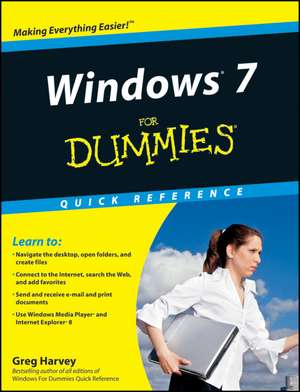
Windows 7 for Dummies Quick Reference: Assuring and Enhancing Quality
Autor Greg Harveyen Limba Engleză Spirală – 17 sep 2009
The much–anticipated Windows 7 operating system brings lots of new elements to Windows, and you may have lots of questions. You′ll find the answers quickly and easily in Windows 7 For Dummies Quick Reference – a concise, convenient reference you can keep by your PC.
Windows 7 For Dummies Quick Reference covers all the information you need most often: tips on navigating the new desktop, launching programs, working with files and folders, getting online and managing e–mail, using special features, and much more. It provides quick, easy–to–find answers that can save you time and hassle every day.
- Small size is designed to keep must–have information conveniently at hand
- Covers all the new features of Windows 7
- Gives concise information on navigating the desktop, launching programs, adding and deleting programs, and creating, copying, and deleting files and folders
- Shows how to create shortcuts, connect to the Internet, search the Web, add favorites, and send and receive e–mail
- Also covers printing as well as how to use Windows Movie Maker and Windows Media Player
Preț: 69.58 lei
Preț vechi: 86.98 lei
-20%
Puncte Express: 104
Cartea nu se mai tipărește
Doresc să fiu notificat când acest titlu va fi disponibil:
Se trimite...
Specificații
ISBN-13: 9780470489611
ISBN-10: 0470489618
Pagini: 211
Dimensiuni: 173 x 213 x 12 mm
Greutate: 0.28 kg
Editura: Wiley Publishing
Locul publicării:Hoboken, United States
ISBN-10: 0470489618
Pagini: 211
Dimensiuni: 173 x 213 x 12 mm
Greutate: 0.28 kg
Editura: Wiley Publishing
Locul publicării:Hoboken, United States
Public țintă
Primary Audience: New or inexperienced users of Windows who want a fast and easy reference to learn how to use Windows.Secondary audience: Consumers seeking quick answers to common Windows questions and perhaps own one or more larger tutorial or reference titles on Windows but need a quick guide.Cuprins
Part 1: The Windows 7 User Experience 1
Part 2: Computer Management 29
Part 3: Networking 61
Part 4: Communications 79
Part 5: System and Security 117
Part 6: Entertainment 145
Part 7: Accessories 165
Part 8: Windows Live Essentials 177
Appendix: Windows Logo Key Shortcuts 199
Index 201
Part 2: Computer Management 29
Part 3: Networking 61
Part 4: Communications 79
Part 5: System and Security 117
Part 6: Entertainment 145
Part 7: Accessories 165
Part 8: Windows Live Essentials 177
Appendix: Windows Logo Key Shortcuts 199
Index 201
Descriere
This handy reference covers all the must–know elements of Windows 7
The much–anticipated Windows 7 operating system brings lots of new elements to Windows, and you may have lots of questions.
The much–anticipated Windows 7 operating system brings lots of new elements to Windows, and you may have lots of questions.