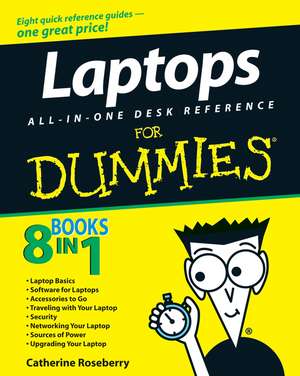
Laptops All–in–One Desk Reference For Dummies®
Autor Corey Sandleren Limba Engleză Paperback – 8 mai 2008
- Builds on the huge success of Laptops For Dummies, now in its second edition
- Eight minibooks comprising nearly 850 pages give laptop owners the detailed information and advice they need to make the most of their computers
- Offers focused content for new and intermediate laptop users, covering laptop basics and beyond, from synchronizing information with a desktop PC and coordinating e–mail between two computers to accessing the Internet or a desktop computer remotely
- Minibooks include laptop basics, software for laptops, accessories to go, traveling with a laptop, security, networking a laptop, sources of power, and upgrading a laptop
- Sales of laptops continue to outpace sales of desktop PCs, with retail laptop sales up 24 percent in the 2006 holiday season
Preț: 138.55 lei
Preț vechi: 173.18 lei
-20%
Puncte Express: 208
Cartea nu se mai tipărește
Doresc să fiu notificat când acest titlu va fi disponibil:
Se trimite...
Specificații
ISBN-13: 9780470140925
ISBN-10: 0470140925
Pagini: 768
Dimensiuni: 187 x 233 x 41 mm
Greutate: 1.13 kg
Colecția John Wiley &Sons
Locul publicării:Hoboken, United States
ISBN-10: 0470140925
Pagini: 768
Dimensiuni: 187 x 233 x 41 mm
Greutate: 1.13 kg
Colecția John Wiley &Sons
Locul publicării:Hoboken, United States
Public țintă
- Laptops All–in–One Desk Reference For Dummies targets the person who wants to make the best use of their laptop. In most cases, the reader has experience with a desktop but little experience with a laptop.
- Laptops are an indispensable tool for mobile workers. Professionals who travel with their laptop will benefit greatly from the information in Laptops All–in–One Desk Reference For Dummies.
Descriere
10 books in 1 — your key to success with your laptop! Your one–stop guide to setting up, using, and troubleshooting a laptop
Who′d have thought there was so much to know about such a compact, convenient device? You need this handy book! It helps you pick a laptop, decide what extras you need (or want), use applications for work and play, manage your power supply, join a network, keep your laptop safe and updated, and more.
Discover how to:
Who′d have thought there was so much to know about such a compact, convenient device? You need this handy book! It helps you pick a laptop, decide what extras you need (or want), use applications for work and play, manage your power supply, join a network, keep your laptop safe and updated, and more.
Discover how to:
- Synchronize your laptop with your desktop
- Work with photos and videos
- Connect to a wireless network
- Add RAM, a drive, or peripherals
- Travel safely with your laptop
Cuprins
Introduction. Book I: Choosing the Best Laptop.
Chapter 1: Knowing What You Want, Getting What You Need.
Chapter 2: Touring a Modern Laptop.
Chapter 3: Microprocessors, Memory, and Operating Systems.
Chapter 4: Doing It Yourself versus Calling in the Cavalry.
Book II: Setting Up Your Laptop.
Chapter 1: Installing or Upgrading an Operating System.
Chapter 2: Painting Flames on the Operating System: Customizing.
Chapter 3: Transferring Settings, E–mail, and Documents.
Chapter 4: Managing Files, Folders, Extensions.
Book III: Running Basic Windows Operations.
Chapter 1: Opening Windows.
Chapter 2: Using Built–in Windows Applications and Gadgets.
Chapter 3: Windows Maintenance Utilities.
Chapter 4: Honk, Honk! Windows Backup and Restore Utilities.
Book IV: Using Common Applications.
Chapter 1: Writing Documents.
Chapter 2: Crunching Data with Spreadsheets.
Chapter 3: Presenting Yourself with PowerPoint Professionalism.
Chapter 4: Checking Your Calendar.
Book V: Playing with Multimedia.
Chapter 1: Walking Through Windows Media Playe.
Chapter 2: Feeling the Music, Seeing the Stream.
Chapter 3: Hamming It Up for the Webcam.
Chapter 4: Gaming with a Laptop.
Book VI: Managing Your Power Supply.
Chapter 1: Using Your Power for Good Purposes.
Chapter 2: Replacing or Upgrading Your Power Source.
Chapter 3: Power–Management Utilities.
Book VII: Upgrading Your Laptop.
Chapter 1: Adding RAM.
Chapter 2: Adding or Replacing a Drive: Internal, External, CD, or DVD.
Chapter 3: Changing Your Input and Output Options.
Chapter 4: Going External with Printer, Network, and Special Peripherals.
Book VIII: Networking and Linking to the Internet.
Chapter 1: Networking with Other Machines.
Chapter 2: Managing a Windows Network.
Chapter 3: Going Wireless.
Chapter 4: Spinning the Web.
Chapter 5: Exchanging E–mail, IMs, and Newsgroups.
Chapter 6: Communicating with VoIP.
Book IX: Protecting Your Laptop.
Chapter 1: Traveling with a Laptop.
Chapter 2: Guarding Against Intruders.
Book X: Troubleshooting Common Problems.
Chapter 1: Sweating the Hard(ware) Stuff.
Chapter 2: Knowing When Good Software Goes Bad.
Index.
Chapter 1: Knowing What You Want, Getting What You Need.
Chapter 2: Touring a Modern Laptop.
Chapter 3: Microprocessors, Memory, and Operating Systems.
Chapter 4: Doing It Yourself versus Calling in the Cavalry.
Book II: Setting Up Your Laptop.
Chapter 1: Installing or Upgrading an Operating System.
Chapter 2: Painting Flames on the Operating System: Customizing.
Chapter 3: Transferring Settings, E–mail, and Documents.
Chapter 4: Managing Files, Folders, Extensions.
Book III: Running Basic Windows Operations.
Chapter 1: Opening Windows.
Chapter 2: Using Built–in Windows Applications and Gadgets.
Chapter 3: Windows Maintenance Utilities.
Chapter 4: Honk, Honk! Windows Backup and Restore Utilities.
Book IV: Using Common Applications.
Chapter 1: Writing Documents.
Chapter 2: Crunching Data with Spreadsheets.
Chapter 3: Presenting Yourself with PowerPoint Professionalism.
Chapter 4: Checking Your Calendar.
Book V: Playing with Multimedia.
Chapter 1: Walking Through Windows Media Playe.
Chapter 2: Feeling the Music, Seeing the Stream.
Chapter 3: Hamming It Up for the Webcam.
Chapter 4: Gaming with a Laptop.
Book VI: Managing Your Power Supply.
Chapter 1: Using Your Power for Good Purposes.
Chapter 2: Replacing or Upgrading Your Power Source.
Chapter 3: Power–Management Utilities.
Book VII: Upgrading Your Laptop.
Chapter 1: Adding RAM.
Chapter 2: Adding or Replacing a Drive: Internal, External, CD, or DVD.
Chapter 3: Changing Your Input and Output Options.
Chapter 4: Going External with Printer, Network, and Special Peripherals.
Book VIII: Networking and Linking to the Internet.
Chapter 1: Networking with Other Machines.
Chapter 2: Managing a Windows Network.
Chapter 3: Going Wireless.
Chapter 4: Spinning the Web.
Chapter 5: Exchanging E–mail, IMs, and Newsgroups.
Chapter 6: Communicating with VoIP.
Book IX: Protecting Your Laptop.
Chapter 1: Traveling with a Laptop.
Chapter 2: Guarding Against Intruders.
Book X: Troubleshooting Common Problems.
Chapter 1: Sweating the Hard(ware) Stuff.
Chapter 2: Knowing When Good Software Goes Bad.
Index.
Recenzii
"…this title consists of eight mini–books giving laptop owners the detailed information and advice they need…" (Publishing News, Fri 14th March 2008)
"…this title consists of eight mini–books giving laptop owners the detailed information and advice they need…" (Publishing News, Fri 14th March 2008) “even subjects that the [you] thought were beyond you become understandable with the simple way that Dummies books explain things.”Gadget Speak Monday 27 July 2008
"…this title consists of eight mini–books giving laptop owners the detailed information and advice they need…" (Publishing News, Fri 14th March 2008) “even subjects that the [you] thought were beyond you become understandable with the simple way that Dummies books explain things.”Gadget Speak Monday 27 July 2008
Notă biografică
Corey Sandler was the first executive editor of PC Magazine. He has written more than 160 books, including Upgrading & Fixing Laptops For Dummies and Laptops For Dummies Quick Reference.